Case study · Self-initiated demonstration
Canopy Notes is a self-initiated Heavenkeys frontend demonstration focused on conservation publishing. Conservation teams need to organise public stories without exposing sensitive field information. We built a responsive interface that lets a visitor browse fictional entries, narrow the collection and open a focused detail view. This case study documents the implemented interface and its tested browser behaviour.
Try the interactive demonstration ↗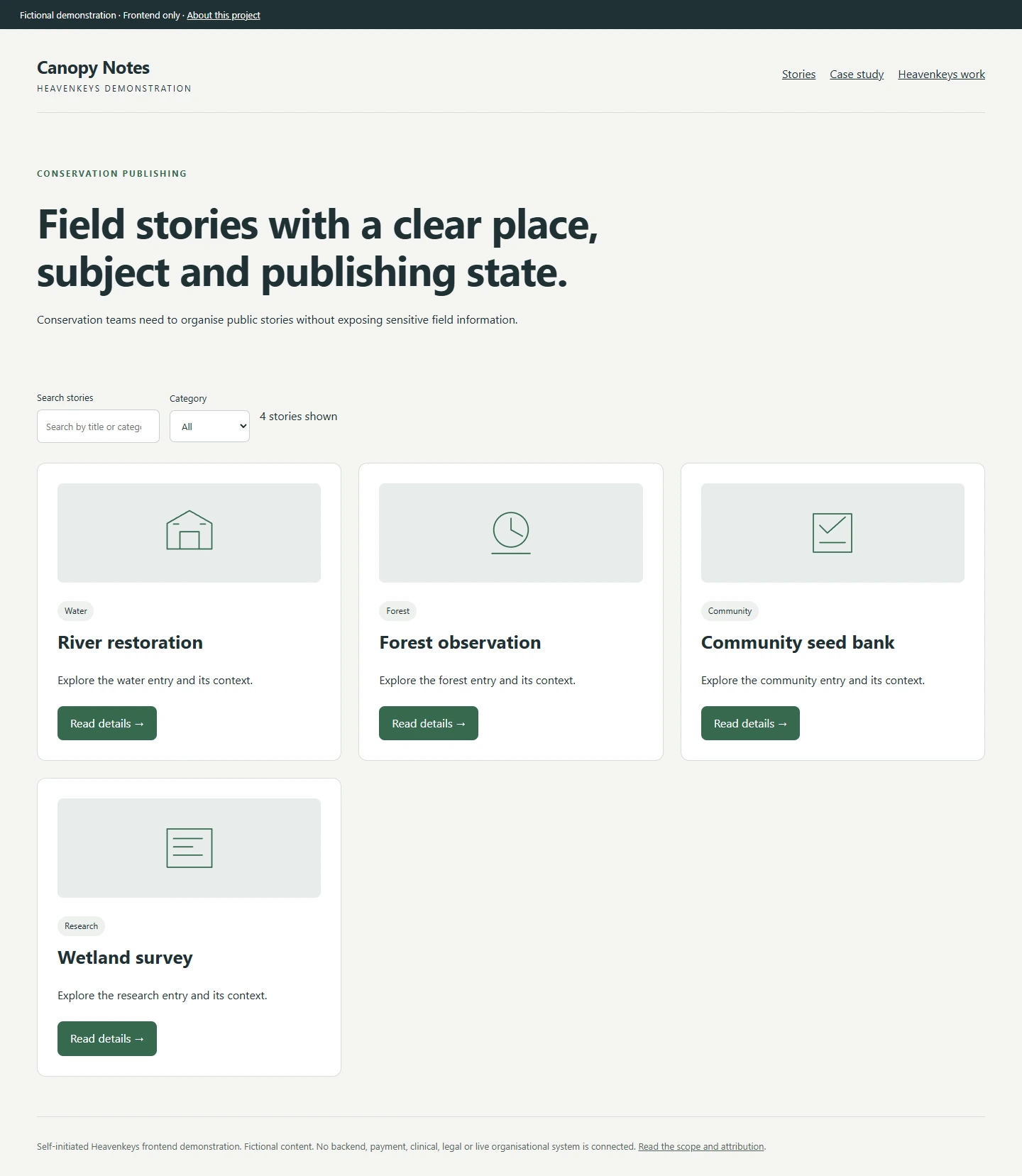
The problem and the collection we built
Conservation teams need to organise public stories without exposing sensitive field information.
The demonstration organises stories around four concrete entries: River restoration, Forest observation, Community seed bank and Wetland survey. Each entry has a title and a category so the collection can be scanned before opening a detail.
The categories are water, forest, community, research. The category selector and text search work together: choosing a category limits the visible entries, while typing a title narrows that result. An empty result has its own explanation, so the visitor can recover by changing the search.
Topic browsing and publication status. The desktop layout gives the collection room to breathe and keeps controls separate from the entries they affect.
A mobile view built around the same task
The mobile screen shows the same stories rather than a reduced screenshot of the desktop page. The layout moves into a single column and the controls wrap into the available width. Entry actions remain directly reachable.
We checked the demonstration at a 390-pixel viewport. The page has no horizontal overflow, and the category and search controls continue to operate on the same underlying collection. The detail button carries the entry title in its accessible name.
The mobile capture uses the fictional collection in its initial state. It is an actual browser capture of this demonstration, rather than a generated picture of an application.

From finding an entry to reviewing it
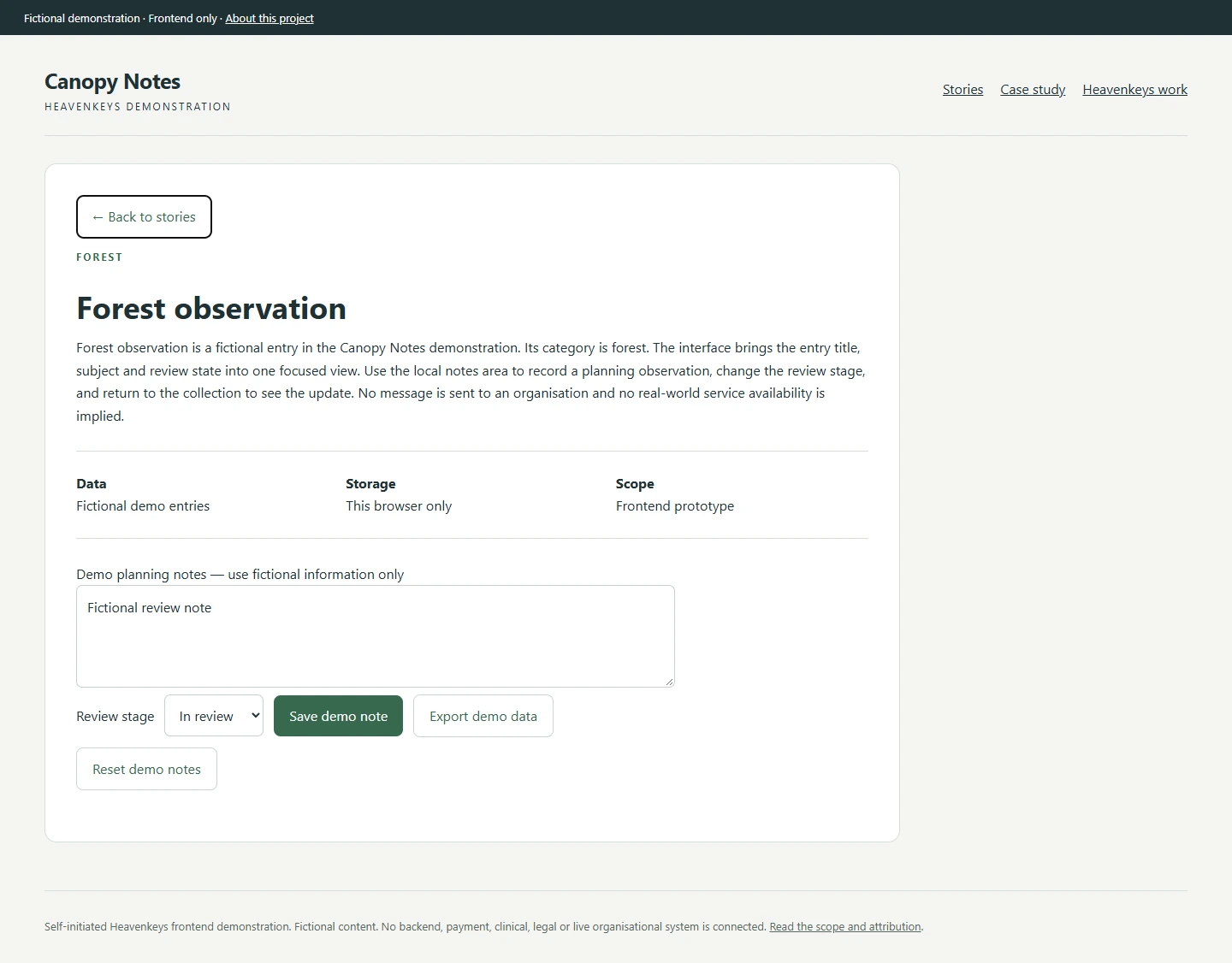
Opening an entry changes the page to a focused detail view. The title, category and explanation remain connected to the selected item. A back control returns to the collection, and the selected entry is represented in the URL so the detail can be opened directly.
The review area supports three stages: Draft, In review and Approved. A visitor can add a fictional planning note and save it in that browser. Reloading restores the selected entry and its saved note. This is local demonstration storage, with no account or server behind it.
An export control downloads the fictional entries and local review notes as JSON. A reset control clears those demonstration notes. The captured detail view shows a fictional review note used during verification.
What was tested
Each demonstration passed checks for title search, category filtering, the empty state, entry details, saving and restoring local notes, changing review stages, exporting the demonstration data and resetting notes. The browser checks also found no application console errors or horizontal overflow at the mobile width.
Scope and source
This is a frontend demonstration using fictional records. It is not a commissioned client engagement, a deployed organisational system or evidence of client outcomes. No payments, live records, email submission, AI model, authentication or external business integration is connected.
The selected template reference was Nature / conservation. Heavenkeys authored this browser demonstration separately; it does not run the original application stack. The source library retains its Custom-README-permission licence record. Upstream photography, logos, testimonials and private product assets were not published.
For a commissioned implementation, discovery would define the data model, permissions, content ownership and integrations that belong behind this interface. The demonstration makes the frontend decisions reviewable without presenting those future integrations as completed work.
Website design and development · Web application development · Product design
Discuss your project ↗